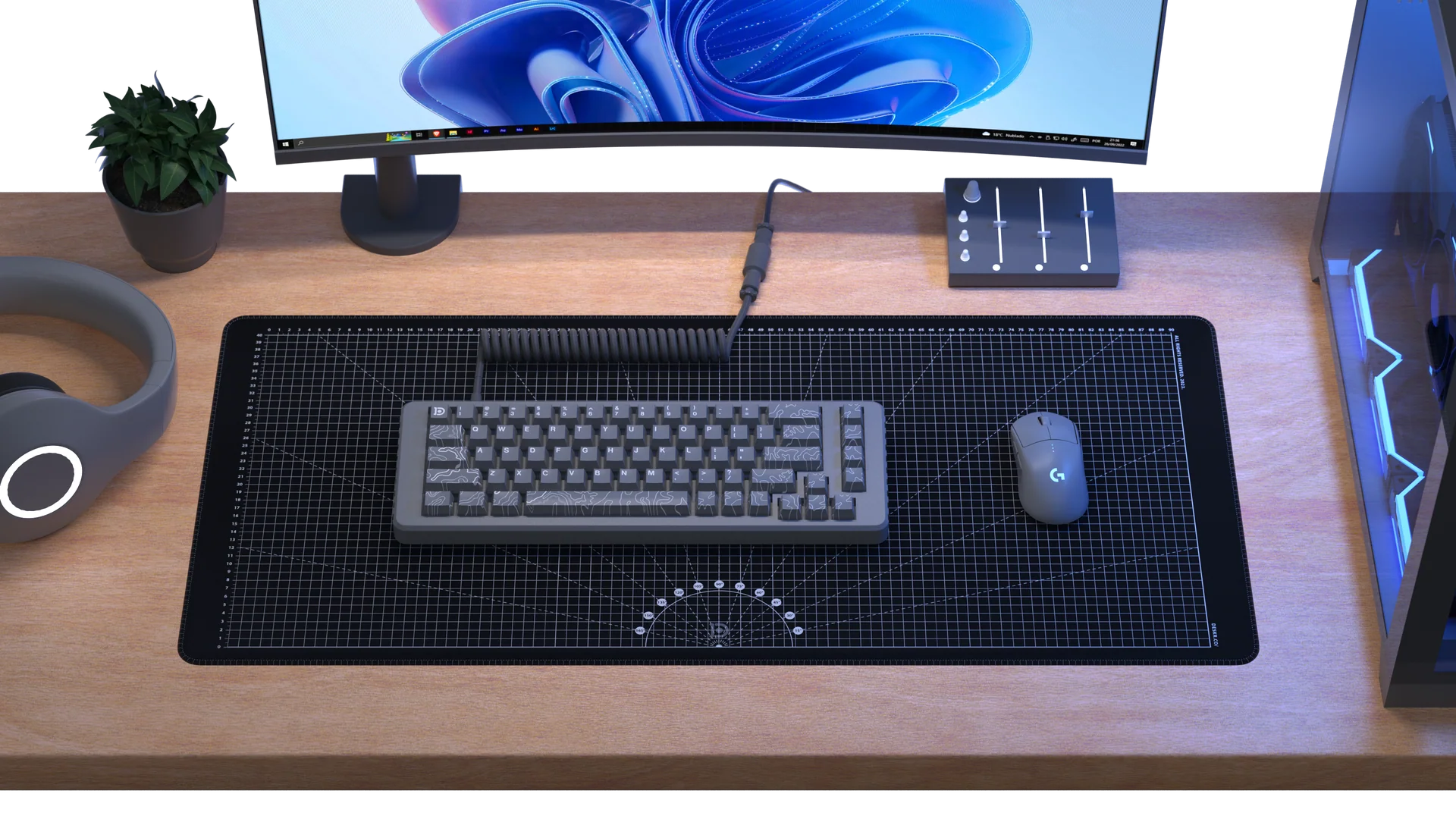
In a world where productivity tools and digital devices dominate our attention, it is easy to overlook the simplest components of a workspace. Monitors get bigger, keyboards become more advanced, and software evolves constantly. Yet, one small accessory quietly influences how we interact with our computers every day: the mousepad.
At first glance, a mousepad may seem like a basic or even optional addition to a desk. Many users assume that modern surfaces are good enough for direct mouse use. However, anyone who spends hours working, designing, gaming, or browsing knows that small inefficiencies can add up quickly. The difference between a smooth, controlled movement and a frustrating, inconsistent experience often comes down to the surface beneath your mouse.
This article explores how a mousepad transforms your workflow in ways that are often underestimated. By understanding its impact on precision, comfort, and overall efficiency, you can make more informed decisions about your workspace setup.
Understanding the Role of a Mousepad
A mousepad serves as a dedicated surface designed to optimize the performance of a computer mouse. While this may sound simple, the function goes beyond providing a place to move your mouse.
Modern mice rely on optical or laser sensors that track movement across a surface. These sensors perform best when they can read consistent patterns and textures. A mousepad is specifically engineered to provide that consistency, allowing the sensor to track movement accurately.
Without a proper mousepad, surfaces such as glass, polished wood, or uneven materials can interfere with tracking. This leads to jittery movement, skipped inputs, or reduced precision. By providing a controlled environment, a mousepad ensures that your mouse operates as intended.
Precision and Control in Everyday Tasks
Precision is one of the most immediate benefits of using a mousepad. Whether you are editing documents, designing graphics, or navigating spreadsheets, accurate cursor movement is essential.
A well-designed mousepad allows for smoother and more predictable motion. This makes it easier to perform tasks that require fine control, such as selecting small elements or aligning objects. Over time, this precision reduces errors and improves efficiency.
For professionals who rely on detailed work, such as designers or video editors, the impact is even more noticeable. Consistent tracking enables better control, which translates into higher-quality results and less frustration.
Even in general use, the improved responsiveness of a mousepad contributes to a more seamless workflow.
Enhancing Speed Without Losing Accuracy
Speed and accuracy often need to be balanced. Moving too quickly can lead to mistakes, while moving too slowly can reduce productivity. A mousepad helps bridge this gap by providing a surface that supports both.
Different mousepad textures influence how the mouse moves. Some surfaces are designed for faster gliding, while others offer more resistance for controlled movement. The key is finding a balance that suits your workflow.
For example, a smoother mousepad may benefit users who perform rapid movements, while a slightly textured surface can help maintain control during precise tasks. Regardless of preference, the presence of a mousepad ensures that movement remains consistent.
This balance allows users to work more efficiently without sacrificing accuracy.
Comfort and Ergonomics
Comfort is an often overlooked aspect of using a mousepad. Extended computer use can lead to strain in the wrist and hand, especially when working on hard or uneven surfaces.
A mousepad provides a softer and more supportive surface, reducing friction and pressure on the wrist. Some designs include additional padding or wrist support, further enhancing comfort.
Improved ergonomics contribute to better posture and reduced fatigue. When your hand moves smoothly and naturally, it places less stress on your muscles and joints.
Over time, this can make a significant difference in how you feel during and after work. A comfortable setup not only improves productivity but also supports long-term well-being.
Protecting Your Desk and Equipment
A mousepad also serves a protective function. Direct mouse use on a desk can lead to wear and tear, especially on delicate surfaces. Scratches, discoloration, and uneven patches can develop over time.
By placing a mousepad between your mouse and the desk, you create a barrier that preserves the surface. This is particularly important for wooden or glass desks, where damage can be more noticeable.
The mouse itself also benefits from using a mousepad. Reduced friction and smoother movement help minimize wear on the mouse feet, extending its lifespan.
This dual protection makes a mousepad a practical addition to any workspace.
Read Also: How UAV Certification Can Open New Opportunities in Commercial Applications
Adapting to Different Work Environments
Not all workspaces are the same. Some users work from home, others in offices, and many in shared or mobile environments. A mousepad provides a consistent surface regardless of location.
This consistency is especially valuable for users who frequently switch between different desks or setups. Instead of adapting to each new surface, the mousepad ensures a familiar experience.
For remote workers, this can help maintain productivity across different environments. For professionals on the move, a portable mousepad can recreate the comfort and precision of a dedicated workspace.
By standardizing the surface, a mousepad supports a more reliable workflow.
The Influence on Gaming and Creative Work
While a mousepad benefits general productivity, its impact is particularly evident in gaming and creative fields. These activities demand a high level of precision and responsiveness.
In gaming, small differences in movement can affect performance. A consistent mousepad surface allows for accurate tracking, which is essential for fast-paced or competitive scenarios.
In creative work, such as graphic design or digital illustration, precision is equally important. A mousepad enables smoother strokes and better control, improving the overall quality of the work.
These specialized uses highlight how a mousepad can elevate performance in demanding tasks.
Material and Design Considerations
The effectiveness of a mousepad depends on its material and design. Different materials offer varying levels of friction, durability, and comfort.
Cloth mousepads are commonly used for their balance of speed and control. They provide a soft surface that is comfortable for extended use. Hard surface mousepads, on the other hand, offer faster movement and are often preferred for quick actions.
Size also plays a role. Larger mousepads allow for broader movements, which can be beneficial for users who prefer lower sensitivity settings. Smaller mousepads are more compact and suitable for limited desk space.
Choosing the right mousepad involves considering your specific needs and preferences. There is no one-size-fits-all solution, but understanding these factors can help you make an informed decision.
Maintenance and Longevity
A mousepad requires minimal maintenance, but proper care can extend its lifespan and maintain performance. Dust, dirt, and oils from the skin can accumulate over time, affecting the surface.
Regular cleaning helps preserve the texture and ensures consistent tracking. Most mousepads can be cleaned with simple methods, making it easy to keep them in good condition.
Durability is another factor to consider. High-quality mousepads are designed to withstand daily use without significant wear. Investing in a well-made mousepad can provide long-term benefits.
By maintaining your mousepad, you ensure that it continues to support your workflow effectively.
Frequently Asked Questions (FAQ)
What is a mousepad used for?
A mousepad provides a consistent surface for a computer mouse, improving tracking accuracy, comfort, and overall performance.
Do modern mice still need a mousepad?
Yes, while modern mice can work on many surfaces, a mousepad enhances precision and ensures consistent performance.
What type of mousepad is best?
The best mousepad depends on your needs. Cloth mousepads offer balanced control and comfort, while hard surfaces provide faster movement.
Can a mousepad improve productivity?
Yes, a mousepad can improve workflow by enhancing precision, reducing errors, and increasing comfort during extended use.
How often should a mousepad be cleaned?
A mousepad should be cleaned regularly, depending on usage, to maintain its surface quality and performance.
Is a large mousepad better than a small one?
A larger mousepad allows for greater movement and is beneficial for low-sensitivity settings, while smaller ones are more compact.
Does a mousepad help with wrist pain?
A mousepad with proper support can reduce strain and improve ergonomics, helping to minimize discomfort during use.
Conclusion
The mousepad may be one of the most overlooked elements of a workspace, but its impact is far from insignificant. By providing a consistent surface, enhancing precision, and improving comfort, it plays a vital role in how we interact with our computers.
From everyday tasks to specialized work, the benefits of using a mousepad extend beyond convenience. It supports efficiency, protects equipment, and contributes to a more comfortable and productive environment.
In a time when small improvements can lead to meaningful gains in performance, the mousepad stands out as a simple yet powerful tool. Recognizing its value allows you to optimize your workflow and create a workspace that truly works for you.